SaaS ProductsView case Panoptick
Panoptick
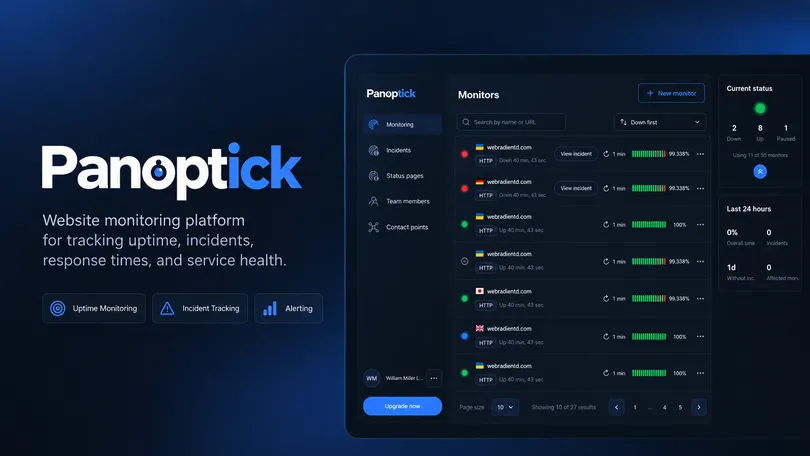
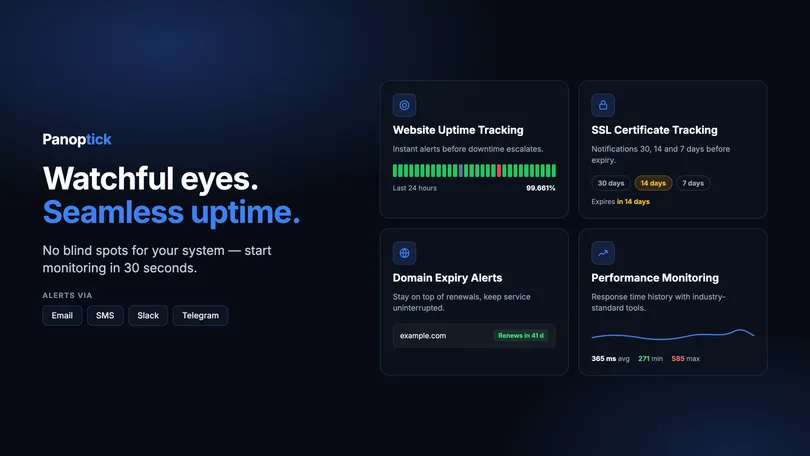
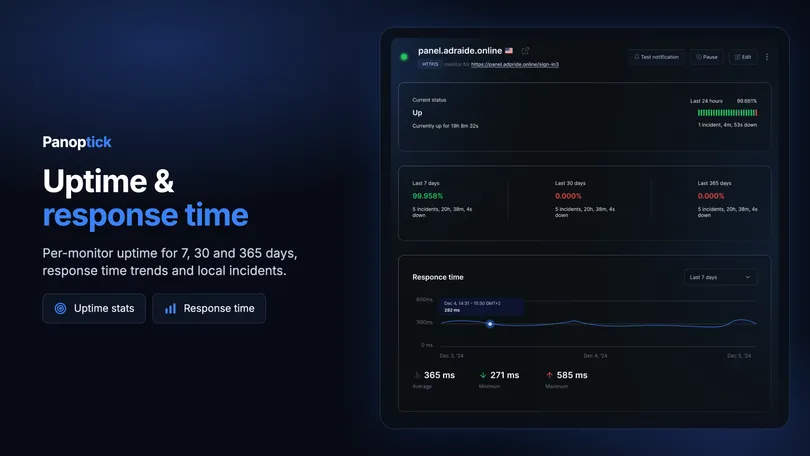
A website monitoring platform for tracking uptime, incidents, response times, and service health, with configurable alerts and status pages.

A B2B SaaS platform for creating, configuring, testing, and deploying AI agents across different customer-facing channels.
The product brings multiple parts of the AI workflow into one workspace — from managing agents and business knowledge to defining behavior, testing models, customizing interfaces, and preparing agents for deployment.
My role was to design the end-to-end product experience and turn a technically complex configuration process into a clear, structured workflow that could work for both non-technical users and more advanced teams.
The main challenge was balancing simplicity and control: making agent setup approachable without hiding the flexibility required for more complex use cases.
Making complex AI configuration approachable without removing control
Configuring an AI agent involves multiple connected decisions — from knowledge sources and instructions to model behavior, testing, integrations, and deployment.
The design challenge was to turn this technical system into a product experience that users could understand and manage without hiding the flexibility required for more advanced use cases.
The platform needed to support two different levels of interaction:
An equally important part of the experience was communicating what was happening behind the interface. Users needed clear visibility into states such as training progress, retraining requirements, inactive channels, usage limits, missing data, and unapplied configuration changes.
The goal was to make these states not only visible, but actionable — so users could understand what was happening, what required attention, and what to do next.
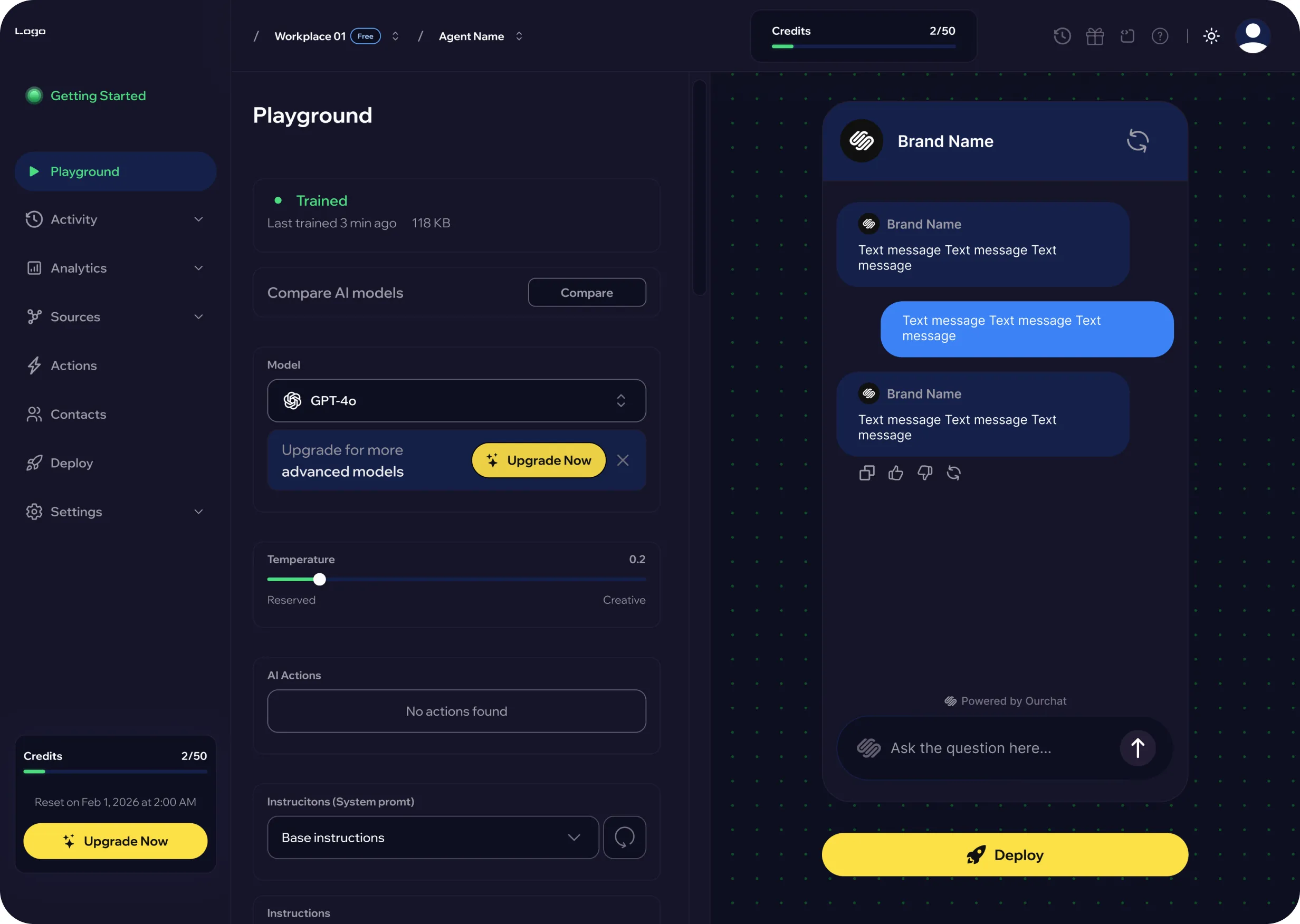
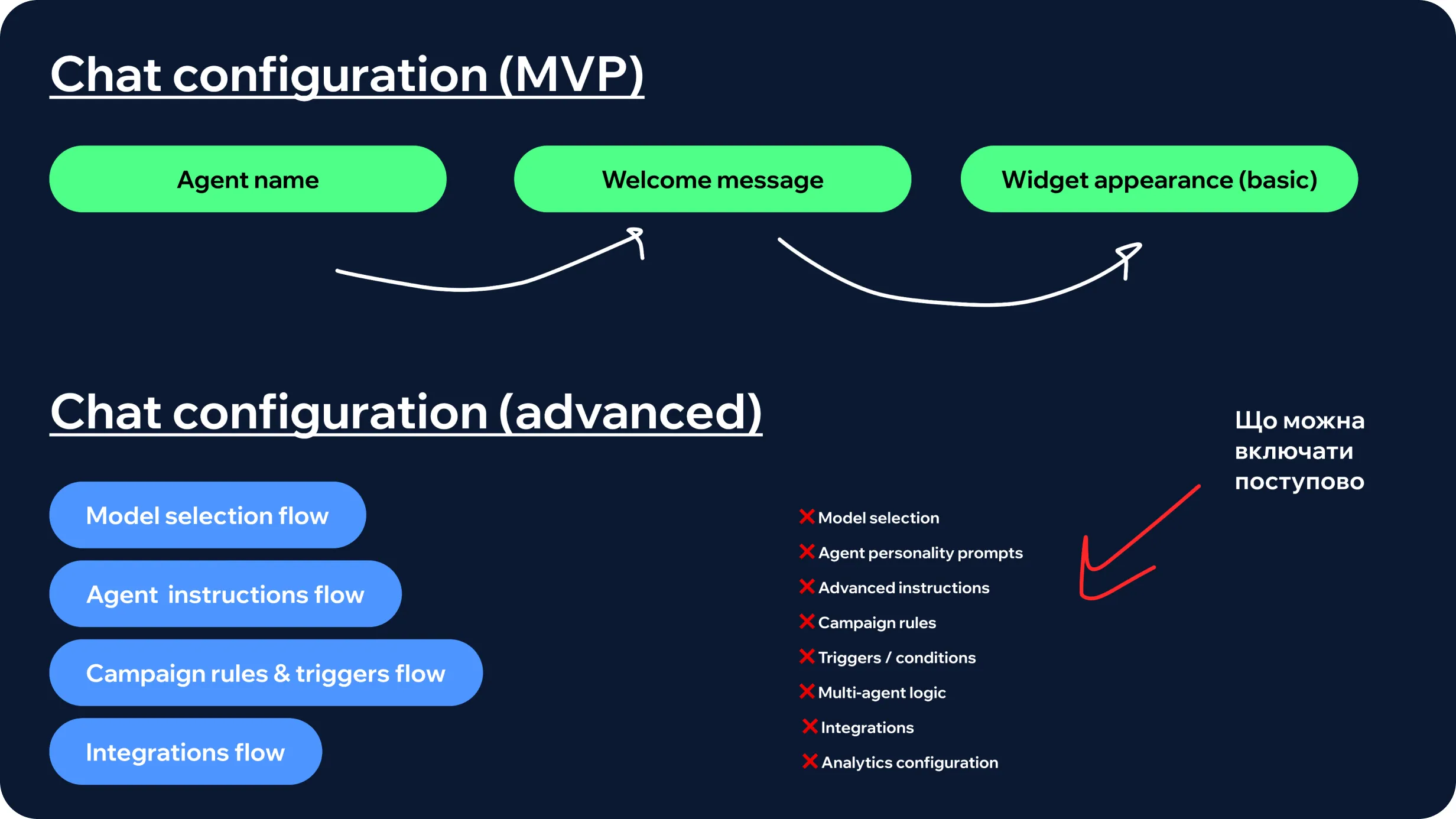
Before moving into high-fidelity design, I worked on defining the product’s initial scope and identifying the smallest experience that could deliver meaningful value.
The challenge was not to expose every possible AI capability from the start, but to create a focused entry point that would help businesses launch a useful customer-facing agent quickly.
This stage helped clarify three things:
The platform had the potential to support different business types, but the MVP needed a more focused starting point.
I prioritized e-commerce and website-based businesses, particularly small and medium-sized teams looking to automate customer communication without building a complex support infrastructure.
The primary MVP use case became a sales-oriented AI assistant with built-in customer support.
Rather than separating sales and support into different experiences, the agent could:
This gave the product one clear entry point: “I want to add an AI assistant to my website and get it working quickly.”
That principle became the foundation for the initial onboarding and configuration flow.
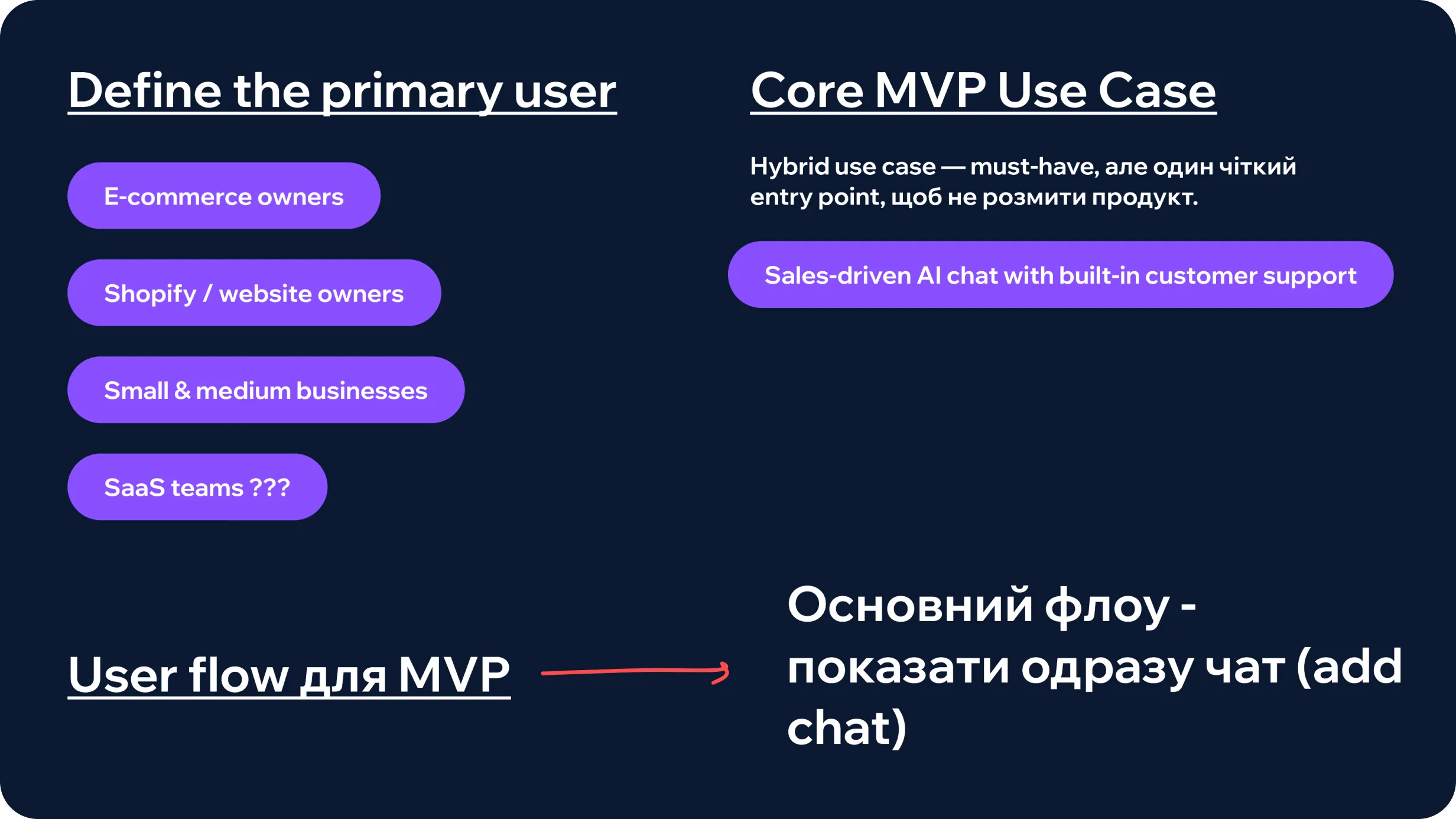
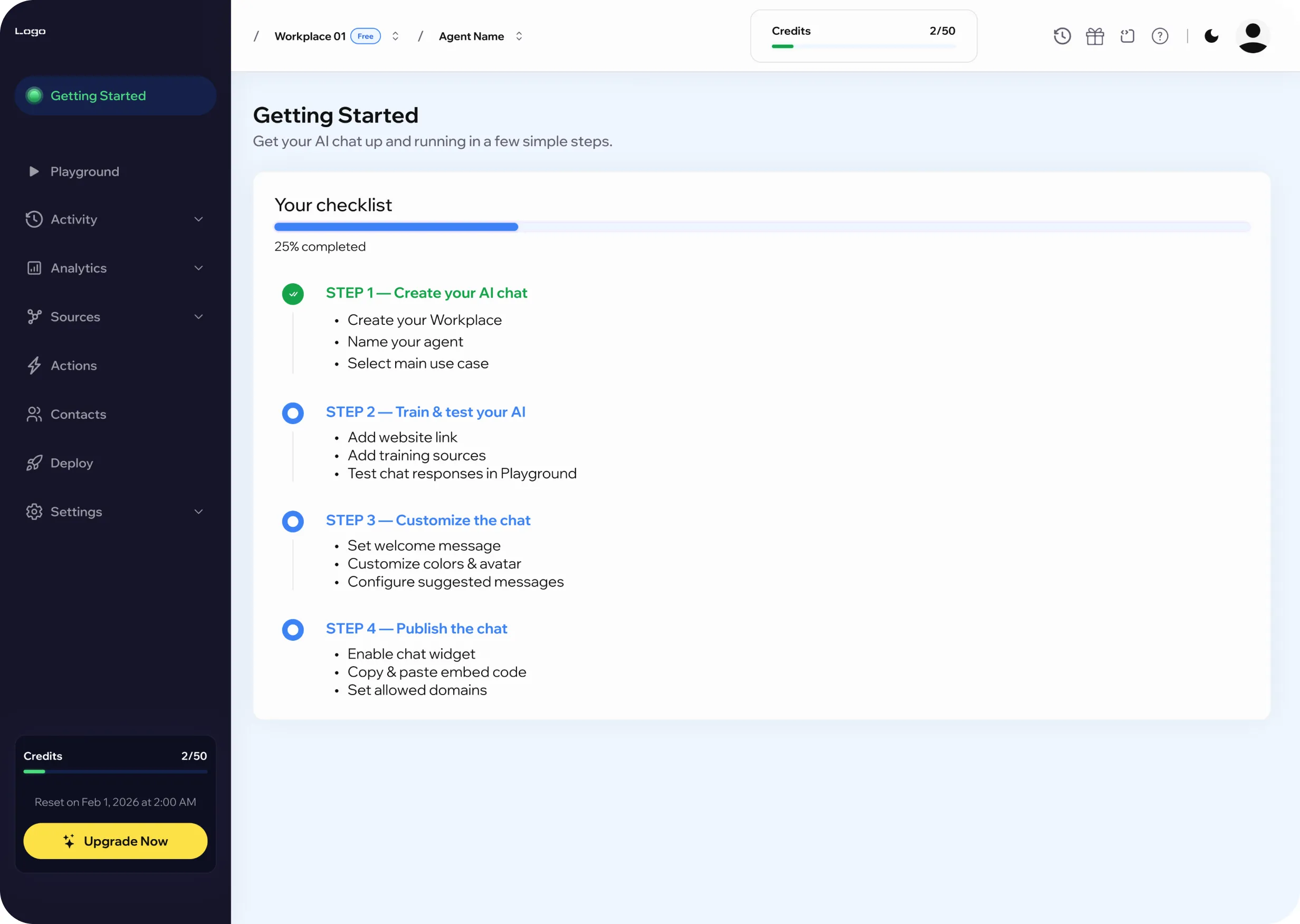
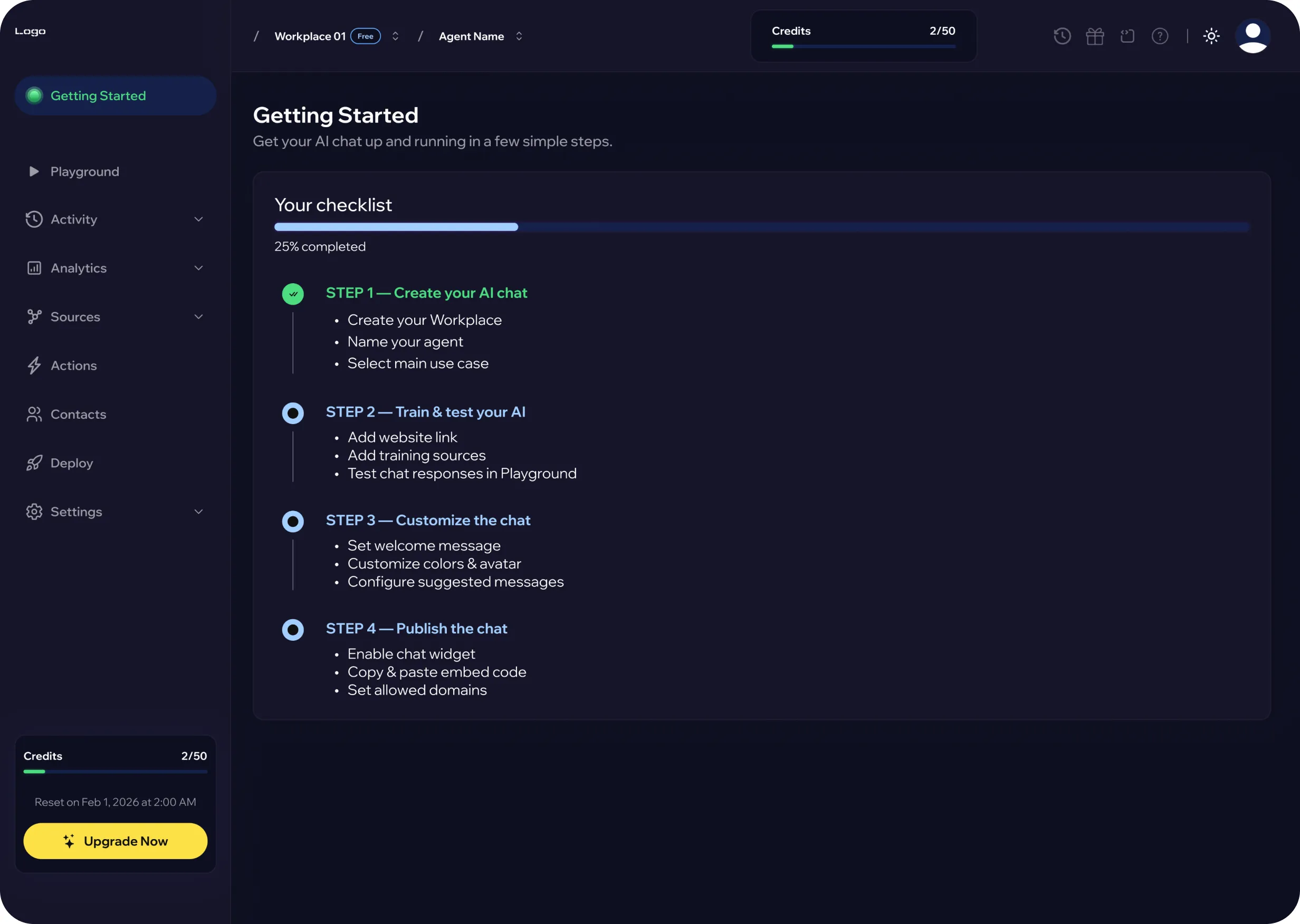
The onboarding flow was designed around one key principle: reduce the time between account creation and the first working customer interaction.
Users start by connecting their website or commerce platform. From there, the product automatically prepares the first version of the agent by:
Rather than asking users to complete multiple configuration steps before they understand the product, the flow leads them quickly to a working preview of the assistant.
This creates an earlier moment of value: users can see the agent in context before deciding how deeply they want to customize it.
More advanced configuration is introduced afterward, once users already understand what they are building and how changes affect the final experience.
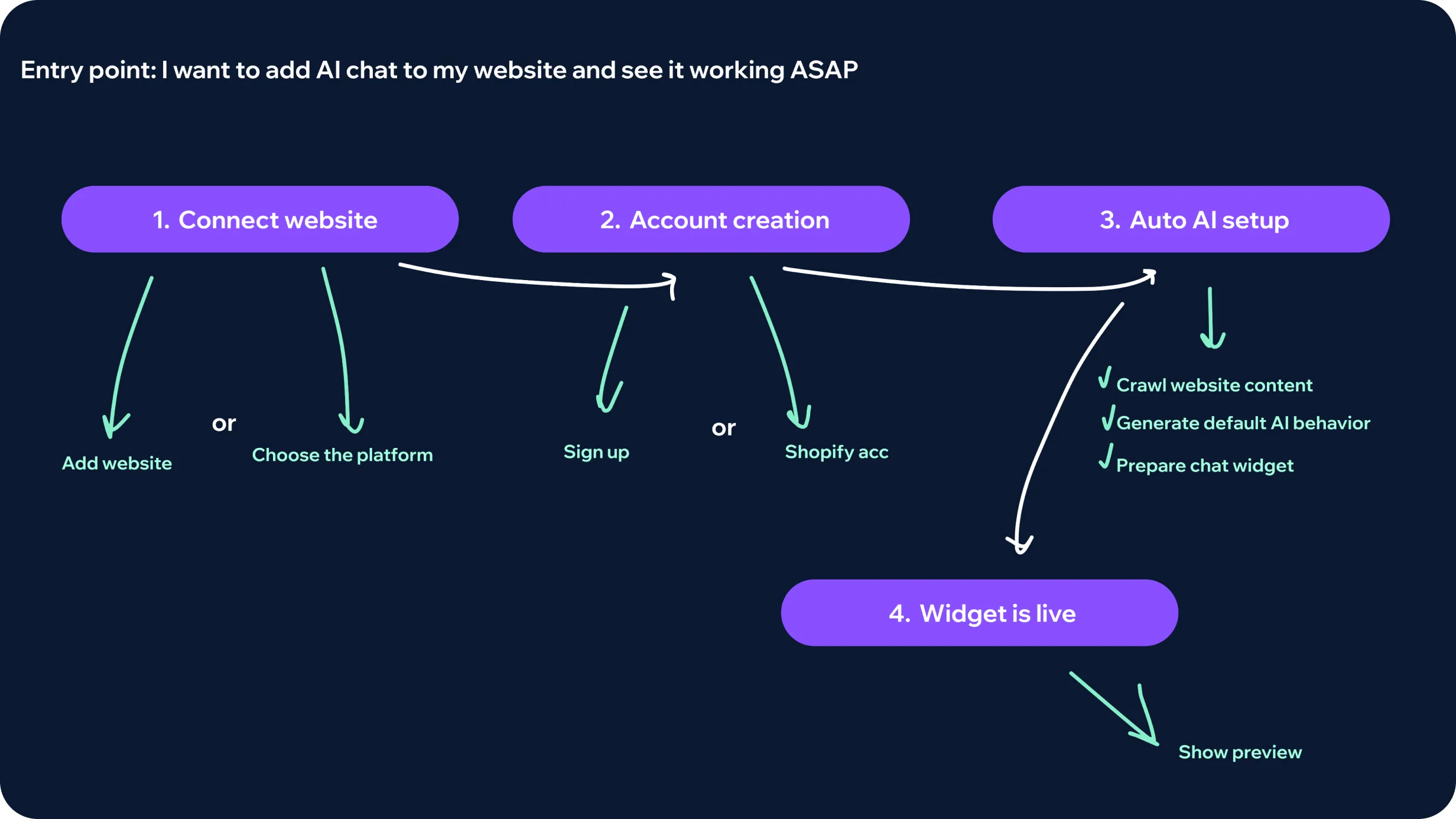
For the agent to provide reliable answers, users needed a clear way to connect and manage the business knowledge it could rely on.
The challenge was to support different types of information without turning knowledge setup into a technical configuration task.
I explored a knowledge structure that could accommodate multiple source types, including:
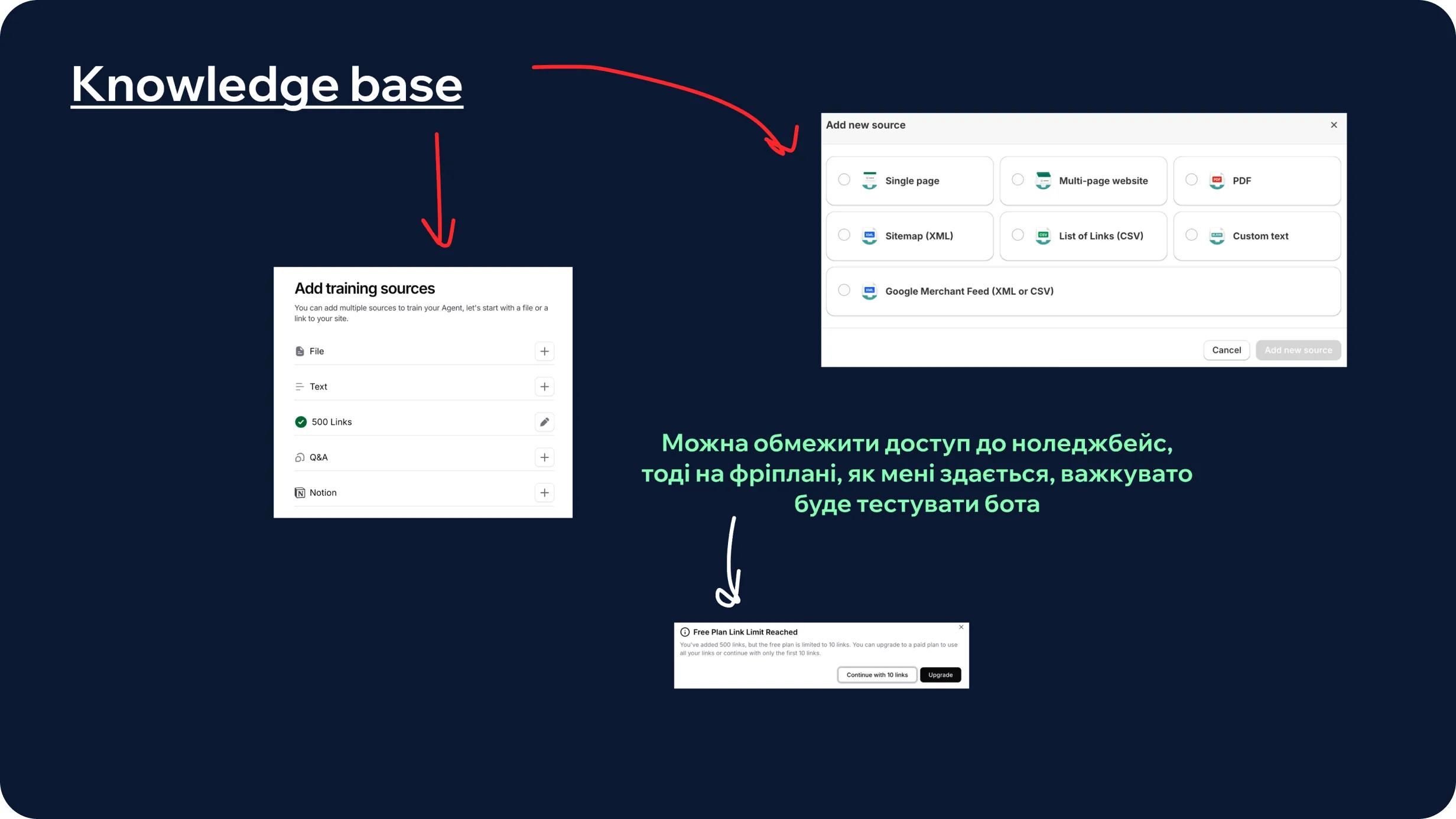
One of the key scope decisions was determining how much configuration users actually needed before launching their first agent.
For the MVP, I kept the initial setup focused on three essential choices:
These settings provided enough control to create a recognizable customer-facing experience without forcing users to understand the deeper AI configuration model from the start.
More advanced controls were intentionally separated from the initial setup and treated as progressive layers, including areas such as:
This created a clear hierarchy between what users needed to launch and what they could configure later.
The first experience remained lightweight and supported by sensible defaults, while the product architecture still left room for more advanced control as user needs became more complex.
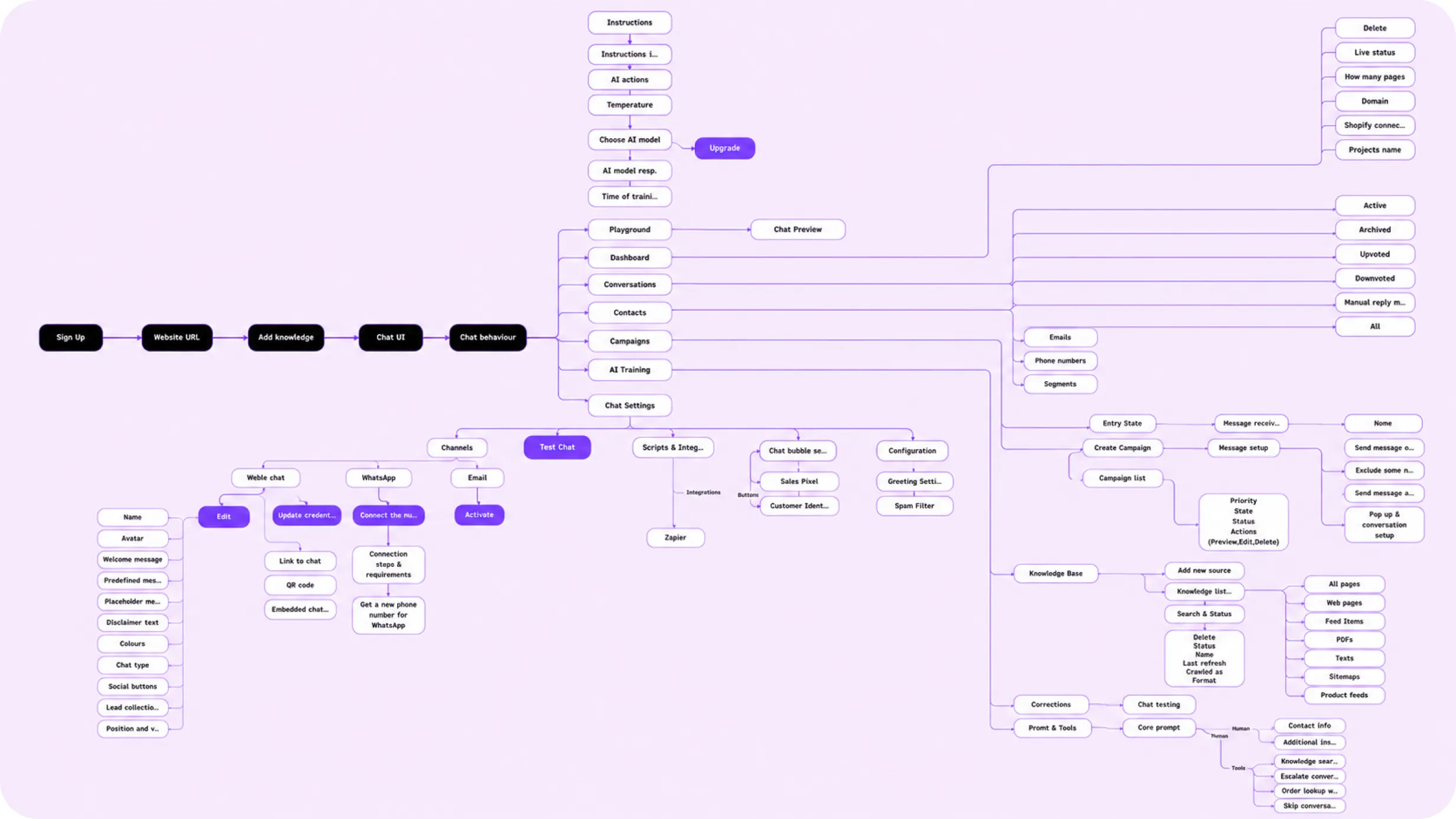
After defining the MVP, I mapped the broader product architecture to understand how the initial onboarding journey could scale into a complete AI agent workspace.
Rather than treating features as separate tools, I looked at how the main product areas should connect across the agent lifecycle — from initial setup and knowledge configuration to testing, deployment, conversations, and ongoing optimization.
The architecture helped me:
The result was not a single linear user flow, but a working model of the product ecosystem — showing how different features support the broader lifecycle of creating, configuring, deploying, and improving an AI agent.
A guided path from first setup to live deployment
The product was shaped around a small set of goals that guided both the MVP and the broader platform structure:
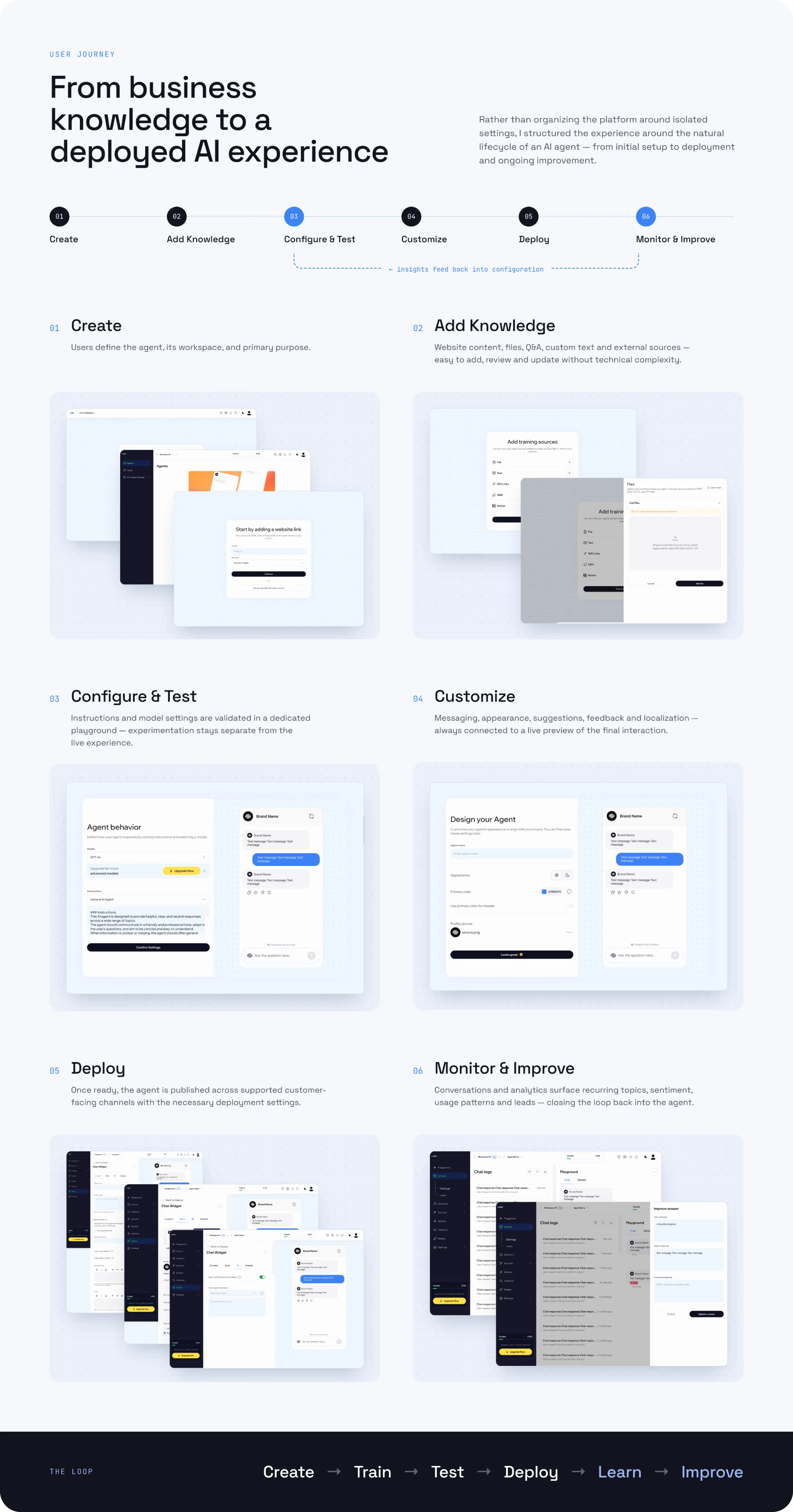
From business knowledge to a deployed AI experience
Rather than organizing the platform around isolated settings, I structured the experience around the natural lifecycle of an AI agent — from initial setup to deployment and ongoing improvement.
Users define the agent, its workspace, and primary purpose.
Business information is connected through website content, files, structured Q&A, custom text, and external sources.
The goal is to make knowledge easy to add, review, and update without exposing unnecessary technical complexity.
Users define how the agent should behave, adjust its instructions and model settings, and test responses in a dedicated playground before anything reaches customers.
This keeps experimentation separate from the live experience and makes configuration changes easier to validate.
The customer-facing experience can be adapted through messaging, appearance, suggestions, feedback controls, and localization.
The configuration remains connected to a live preview so users can understand how their decisions affect the final interaction.
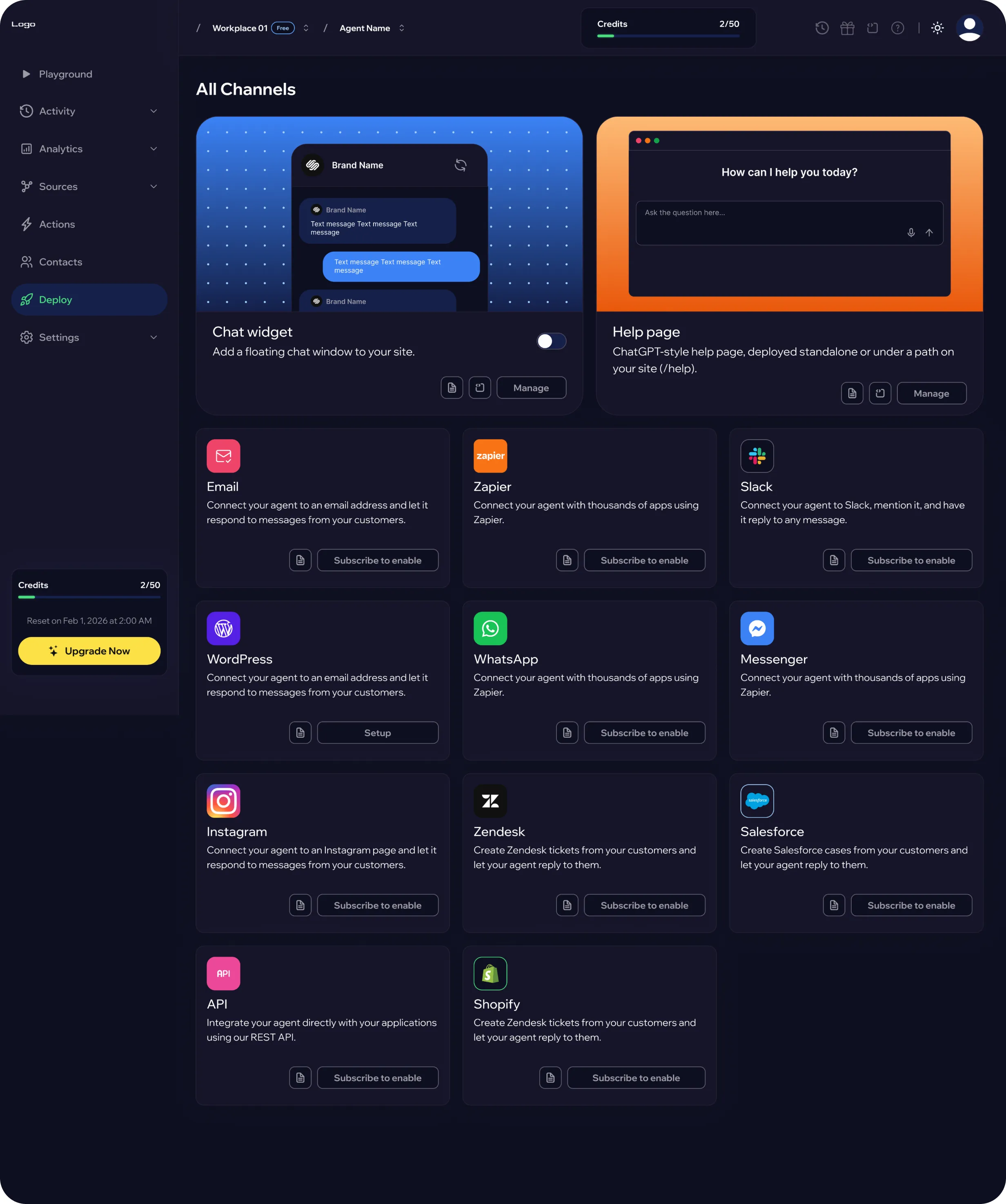
Once the agent is ready, users can publish it across supported customer-facing channels and configure the necessary deployment settings.
After launch, conversations and analytics provide context around recurring topics, customer sentiment, usage patterns, and potential leads.
These insights create a feedback loop between real customer interactions and future agent improvements.
Create → Train → Test → Deploy → Learn → Improve
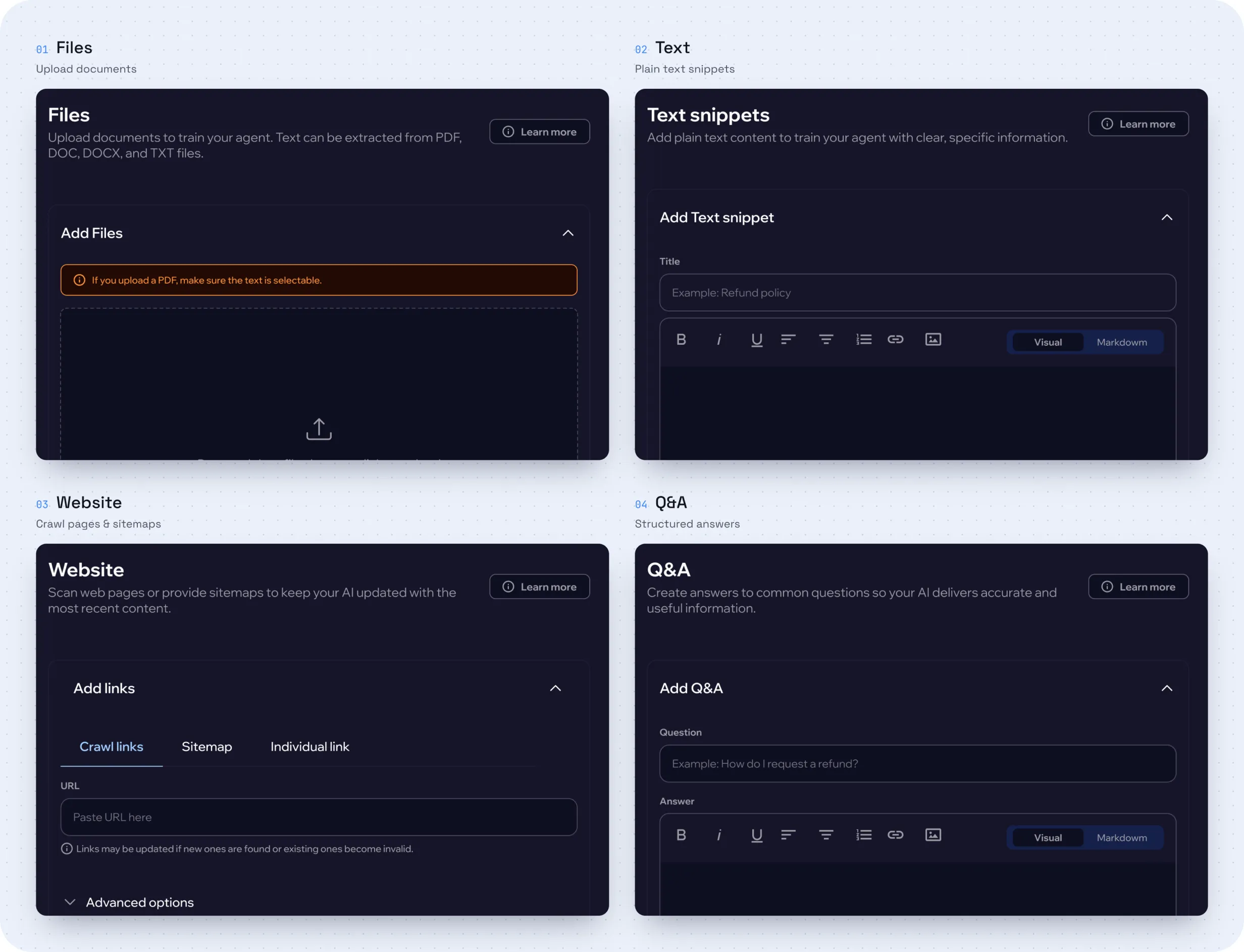
One system for different types of business knowledge
Knowledge management became one of the core areas of the product, since the quality of an agent’s responses depends heavily on the information available to it.
The challenge was to support different types of business content without making each source feel like a separate tool or workflow.
Users can add knowledge through multiple source types, including:
Each source has its own input flow, while the overall knowledge state remains visible within a shared workspace.
Users can see what sources are connected, understand their volume and processing status, and identify when changes require the agent to be retrained.
This creates a clear separation between managing business knowledge and configuring AI behavior, while giving users visibility into what information is currently available to the agent.
Making AI behavior easier to understand and validate
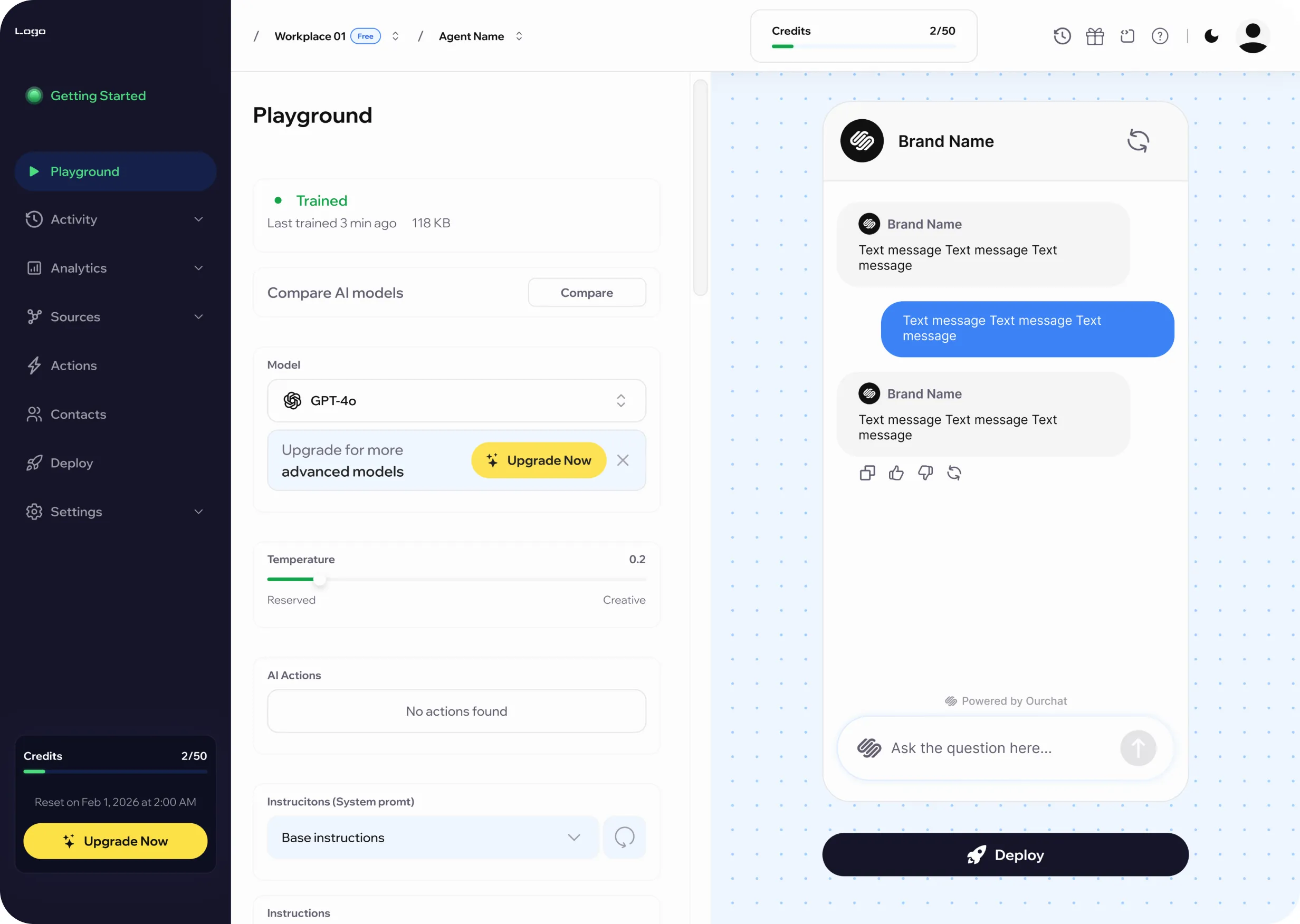
The Playground was designed as the main environment for testing and refining agent behavior before it reaches customers.
The challenge was to make AI configuration feel less abstract. Instead of separating settings from their outcome, I designed a split-view workspace where configuration stays visible alongside a live conversation.
Users can adjust areas such as:
Keeping configuration and output within the same workspace creates a direct feedback loop between what the user changes and how the agent responds.
This makes experimentation easier to understand and gives users a safer way to validate behavior before applying changes to the live customer experience.
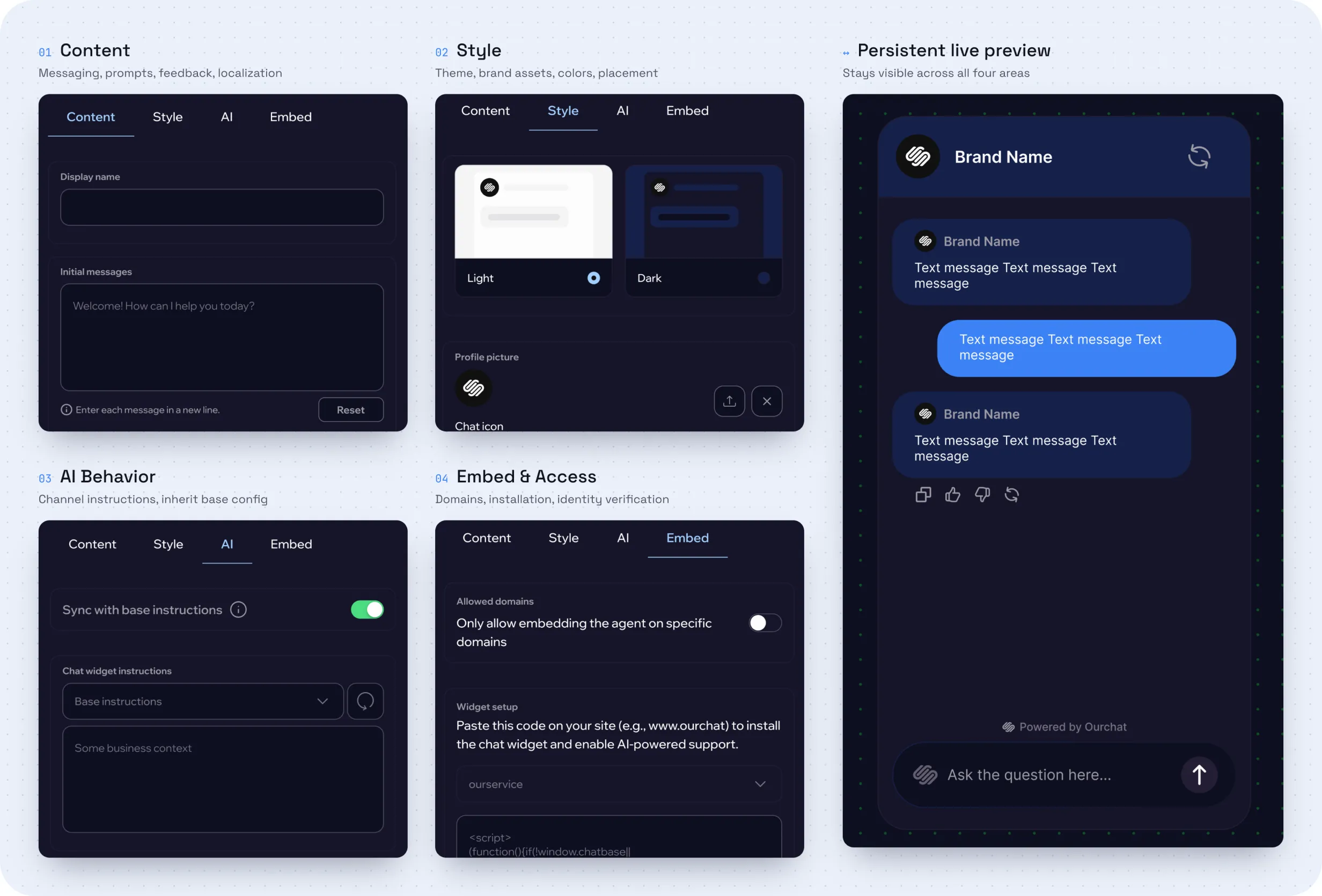
Organizing complex configuration around clear areas of control
The chat widget needed to support a wide range of customization without turning the editor into one long configuration form.
I structured the experience into four focused areas:
A persistent live preview remains visible throughout the editor, allowing users to understand how changes affect the customer-facing experience without constantly switching between configuration and preview modes.
This structure separates content, presentation, AI behavior, and deployment concerns while keeping them within one coherent editing experience.
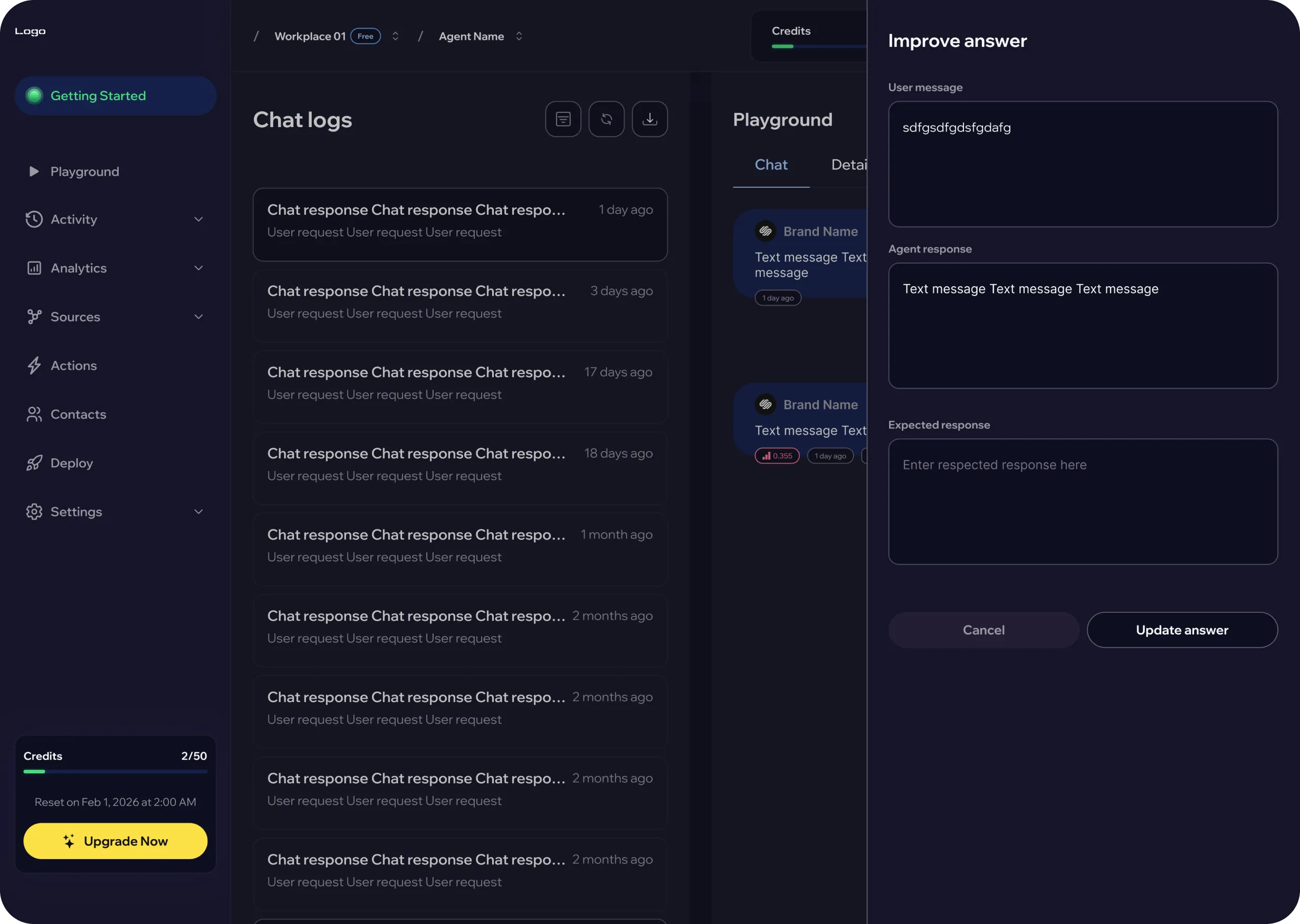
Turning live conversations into actionable feedback
After deployment, teams needed a clear way to understand how the agent was performing in real customer interactions.
I designed the conversation workspace around a master-detail pattern, allowing users to review a large number of interactions without constantly moving between separate screens.
The experience combines:
Keeping the conversation and its supporting context within the same workspace makes it easier to identify responses that may require additional knowledge, revised instructions, or further testing.
This creates a continuous feedback loop between real customer conversations and future agent improvements.
A unified experience across the AI agent lifecycle
The final product concept brings agent setup, knowledge management, testing, customization, deployment, and conversation review into one connected experience.
Rather than treating these areas as separate tools, the product structure connects them around the lifecycle of an AI agent — from the first setup to ongoing improvement after launch.
The design created a scalable foundation for:
Most importantly, the experience establishes a clear balance between guided workflows and advanced control. Users can start with a simple path to a working agent while deeper functionality remains available as their needs become more complex.
The result is a product structure that makes a technically complex AI system feel more understandable, manageable, and ready to scale.
This project reinforced the importance of deciding which complexity users actually need to see and which complexity the product can handle for them. Designing the platform as a connected system helped me balance approachable onboarding with the flexibility required for more advanced AI workflows.
A website monitoring platform for tracking uptime, incidents, response times, and service health, with configurable alerts and status pages.